
Table of Contents
After installing and activating WENS Haelo Pro, you can import any available demo with just a few clicks. The demo importer will automatically set up the pages, layouts, patterns, and design settings so your website looks like the selected demo.
Step 1: Open the Demo Importer #
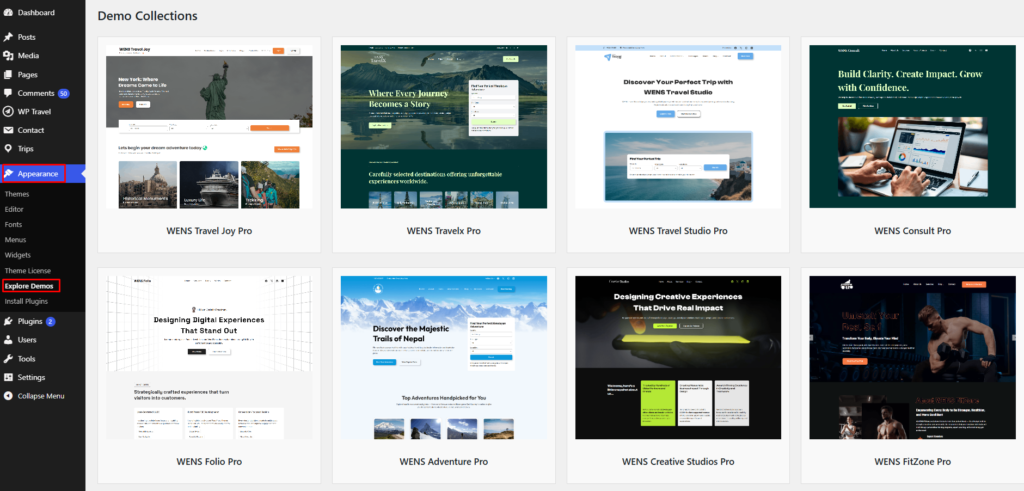
From your WordPress Dashboard, navigate to:
Appearance → Explore Demo
You will see all available demo collections supported by WENS Haelo Pro.
Step 2: Browse Available Demos #
WENS Haelo Pro includes a variety of starter websites for different niches, including:
- Travel
- Business & Corporate
- Creative Agency
- Portfolio
- Blog & Magazine
- eCommerce
- Food & Restaurant
- Fitness & Health
- Education
- Agriculture
Step 3: Import a Demo #
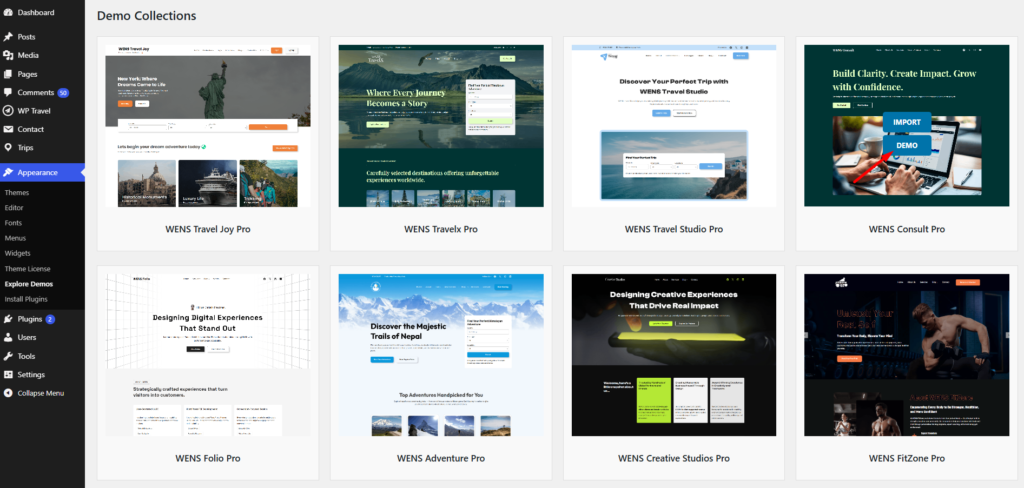
- Select the demo you want to use.
- Click the Import button.
- Wait for the import process to complete.
- Do not close or refresh your browser while the import is running.
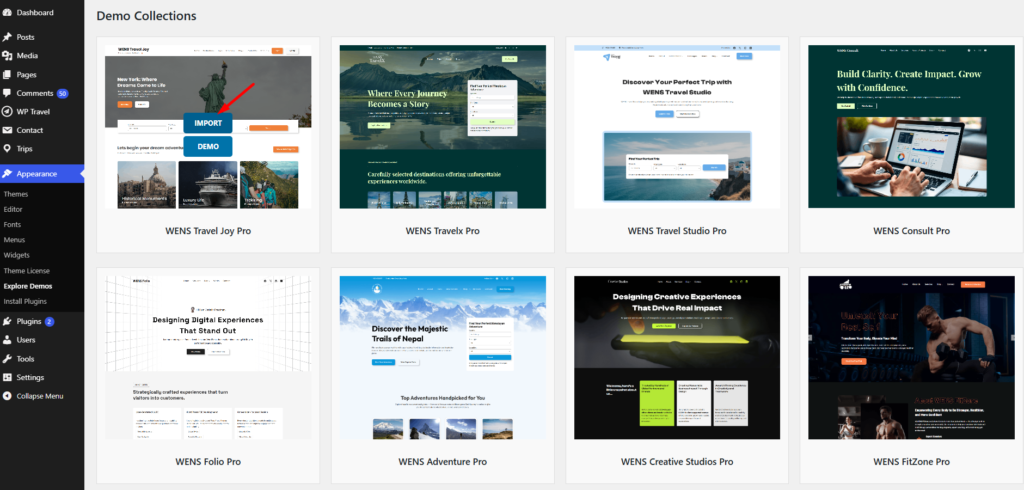
The importer will automatically create the required pages, templates, menus, and design settings associated with the selected demo.
Step 4: Customize Your Website #
After the import is complete, you can start customizing your website by:
- Editing page content
- Replacing demo images
- Updating menus and navigation
- Changing colors, typography, and layouts
- Adding your own branding and content
Important Notes #
- Demo import may take a few minutes depending on your hosting environment.
- Some demos may require recommended plugins to be installed and activated.
- For the best experience, import demos on a fresh WordPress installation whenever possible.


