Skip to content
Plugins
All Themes
Pro Themes
Docs
Blog
Careers
Menu
Plugins
All Themes
Pro Themes
Docs
Blog
Careers
Hire Us
View Categories
Home
Docs
Travel Elemento
How to add Widgets?
How to add Widgets?
Listen
0:00
/
0:06
1×
Copy page
Copy page
Copy this page as Markdown for LLMs
View as Markdown
Open this page as plain Markdown
(opens in a new tab)
Open in ChatGPT
Ask questions about this page
(opens in a new tab)
Open in Claude
Ask questions about this page
(opens in a new tab)
Open in Google AI Studio
Ask questions about this page (Google account required)
(opens in a new tab)
Table of Contents
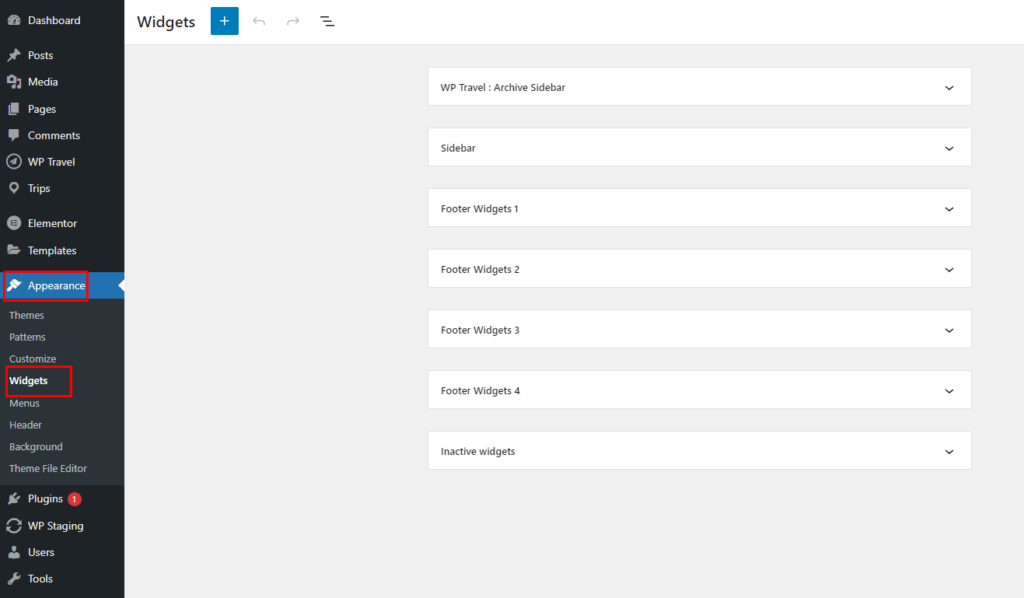
Available widget Area :
1. From the
Customize
section, go to
Widgets
.
2. From
Widgets
, you will see different sidebar
Available widget Area :
#
How to manage Menus?
How to manage Additional CSS?