
Table of Contents
To import the demo content for the WENS Track theme, you can follow these steps:
Install Required Plugins: #
Ensure you have installed and activated the following plugins:
Download the Demo Content: #
- Download the demo content package and extract the files.
Install WordPress Importer: #
The WordPress Importer plugin is required to import demo content.
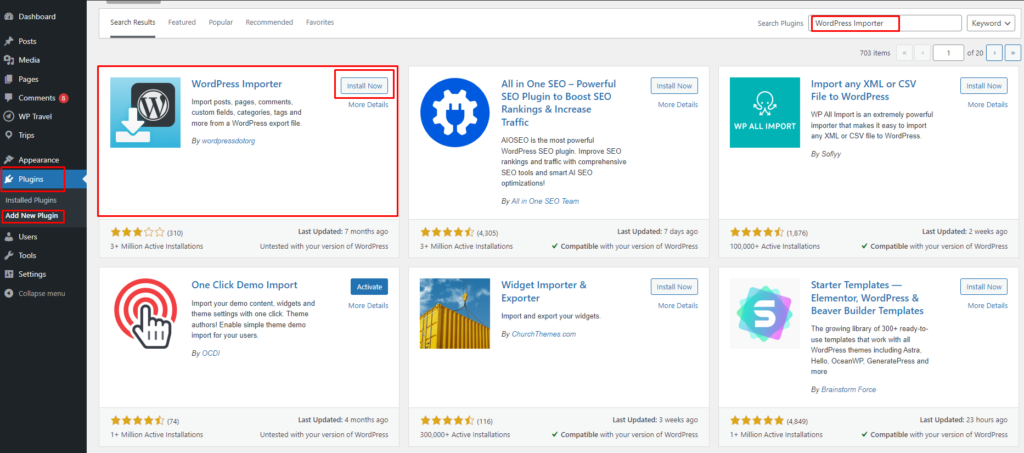
- Go to Plugins → Add New in your WordPress dashboard.
- Search for “WordPress Importer”.
- Click Install Now, then Activate.
Import the Demo Content: #
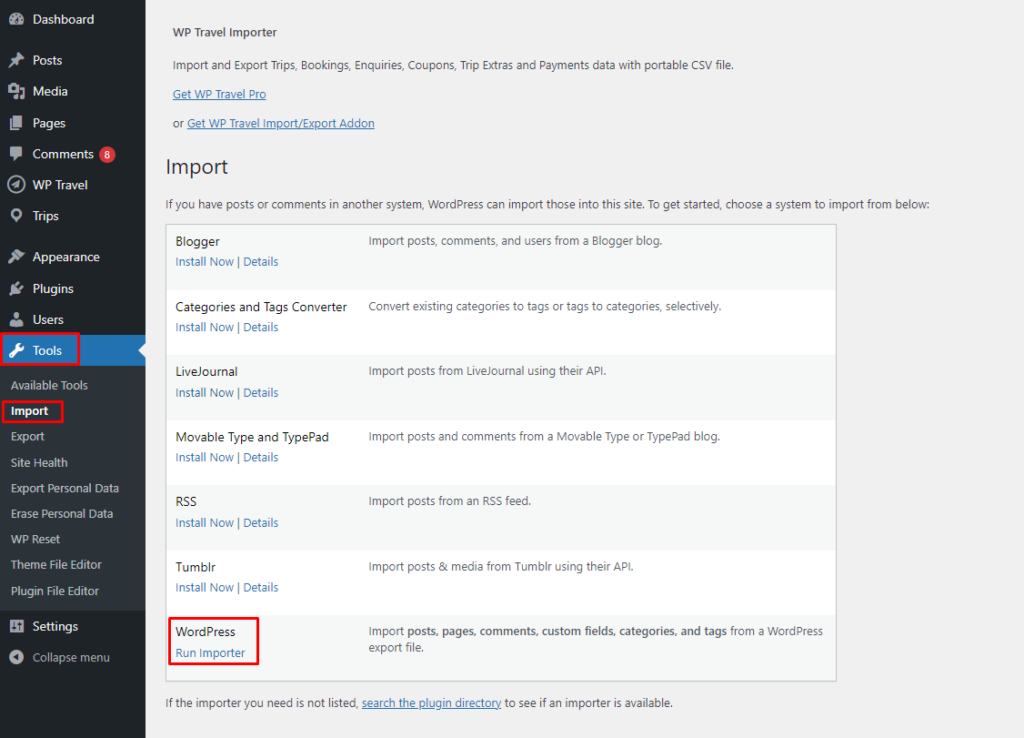
- Navigate to Tools → Import in your WordPress dashboard.
- Under WordPress, click Run Importer.
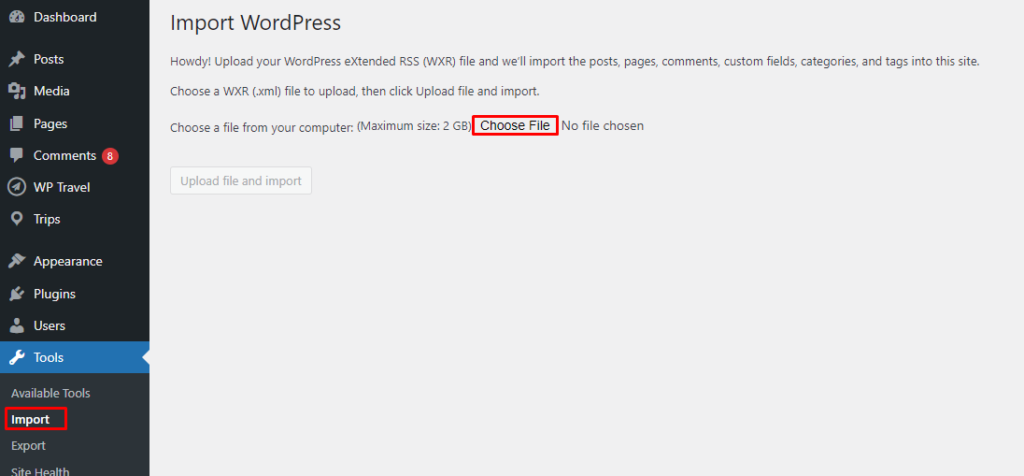
- Click “Choose File” and select the demo content XML file.
- Click Upload file and import.
- Assign an existing user or create a new user to import content.
- Check the option to Download and import file attachments if available.
- Click Submit and wait for the import to complete.
Note: Images may not be imported due to licensing restrictions. You may need to manually replace them with your own images.
- Once the import process is complete, a success message will be displayed.


