Finding a free WordPress magazine theme shouldn’t feel like searching for a needle in a haystack.
While the WordPress theme directory offers thousands of free themes, only a small percentage are designed specifically for magazine, news, or editorial websites. Some prioritize appearance over performance, while others lack the homepage layouts, customization options, or long-term support needed for a growing publication.
To save you time, we evaluated popular free WordPress magazine themes based on the features that matter most to publishers. We looked at design quality, magazine-specific layouts, customization, Gutenberg compatibility, mobile responsiveness, performance, update frequency, and overall ease of use.
Whether you’re starting an online magazine, digital newspaper, niche publication, or content-rich blog, this guide will help you find a theme that matches your publishing goals and budget.
Top Picks for Best Free WordPress Magazine Themes at a Glance
If you’re short on time, here’s a quick overview of our favorite free WordPress magazine themes for different publishing needs.
| Best for | Theme |
| Best Overall | WENS Press |
| Best for News Websites | ColorMag |
| Best Modern Design | Newsmatic |
| Best for Beginners | News Portal |
| Best for Bloggers | HitMag |
| Best Performance | Hueman |
| Best Responsive Layout | CoverNews |
We’ll cover each of these in more detail below, along with other free themes worth considering.
How We Tested These Free WordPress Magazine Themes
Rather than simply listing popular themes, we focused on the features that matter most when building a magazine or news website. A well-designed magazine theme should help you organize content, provide a smooth reading experience, and remain easy to manage as your website grows. For each theme, we evaluated:
- Magazine-specific homepage layouts
- Design quality and user experience
- Gutenberg compatibility
- Mobile responsiveness
- Performance and loading speed
- Customization options
- WooCommerce compatibility
- Update frequency and long-term maintenance
- Documentation and ease of setup
- User ratings and active installations
This helped us recommend themes that not only look good but are also practical for publishing content over the long term.
Top Free WordPress Magazine Theme
The best free WordPress magazine themes include WENS Press, ColorMag, Newsup, CoverNews, Newsmatic, HitMag, Hueman, MH Magazine Lite, News Magazine X, Cream Magazine, News Portal, and Blossom Magazine. These themes help publishers organize content-heavy homepages, display featured stories and categories, and maintain a fast, mobile-friendly reading experience without writing code.
1. WENS Press
If you’re launching a magazine, news, or editorial website, WENS Press gives you a strong foundation without overwhelming you with settings. The free theme focuses on what publishers need most: clean content presentation, flexible homepage sections, and an intuitive customization experience.
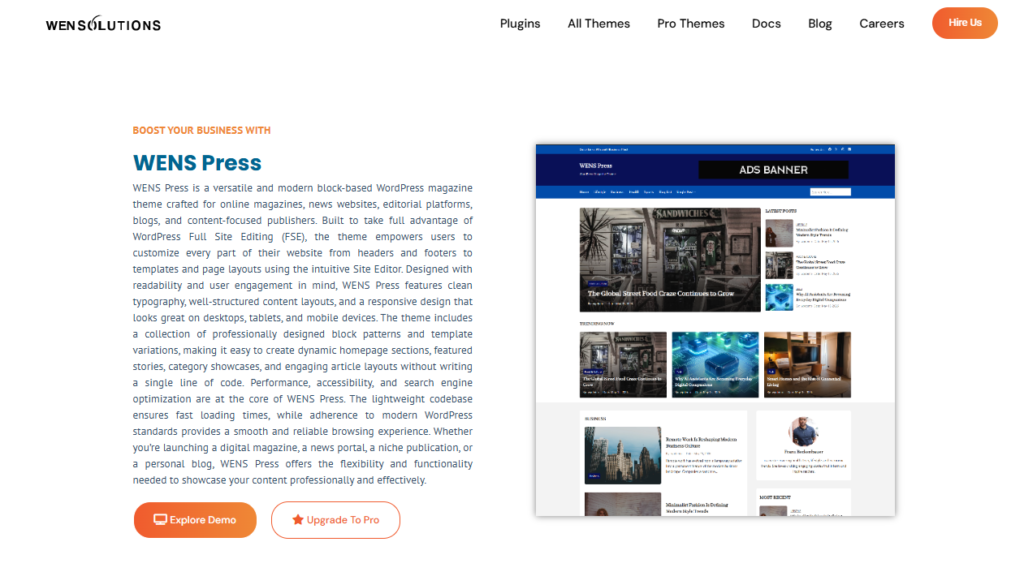
As your website grows, WENS Press makes it easy to showcase featured stories, organize posts by category, and create a homepage that feels professional from day one. Built for Full Site Editing, it lets you customize headers, footers, and layouts directly through the WordPress Site Editor, without touching any code.
Key Features:
- Multiple magazine-style homepage sections
- Featured post and category layouts
- Full Site Editing (FSE) support
- Block patterns and template parts
- Responsive layout for all screen sizes
- WooCommerce support
- Translation-ready
- One-click demo import
Pros
- Quick to set up, even if you’re building your first magazine website.
- Keeps articles organized with layouts designed for content-heavy sites.
- Offers enough flexibility to create a unique homepage without additional page builders.
- Works well with popular WordPress plugins as your website expands.
- Provides a smooth reading experience across desktop and mobile devices.
Cons
- Some advanced layouts and premium customization controls require WENS Press Pro.
- The free version includes fewer starter designs than the premium edition.
Free Version
The free version includes everything you need to launch a professional magazine website, from customizable homepage sections to responsive layouts and block editor compatibility. It’s a practical choice if you’re starting with a limited budget but still want a polished publishing experience. View demo!
Ready to launch your publication? Follow our guide on Creating an Online Magazine Website with WordPress to set up your site step by step.
2. ColorMag
ColorMag has remained one of the most popular WordPress magazine themes for years, and it’s easy to see why. If you’re building a news website or online publication, it gives you a polished homepage designed to showcase featured stories, trending articles, and content categories right from the start. With more than 40,000 active installations, it’s also one of the most widely used free magazine themes in the WordPress ecosystem.
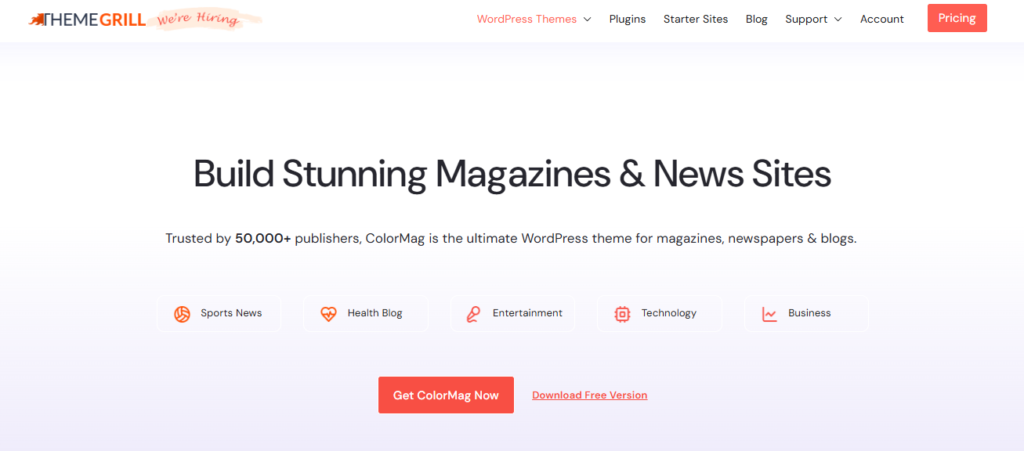
One of ColorMag’s biggest advantages is how quickly you can get your site up and running. The free version includes several starter demos, so you can import a layout and begin publishing instead of building every page from scratch. It also includes dedicated ad placements and WooCommerce compatibility, making it a practical option if you plan to monetize your website or expand into online sales later.
Key Features
- 8+ free starter demo sites
- Multiple homepage widget areas
- Built-in advertisement spaces
- WooCommerce compatibility
- Gutenberg support
- SEO-optimized and responsive design
- Translation and RTL ready
Pros
- Fast to launch with ready-made starter sites.
- Well-suited for content-rich news and magazine websites.
- Makes website monetization easier with built-in ad locations.
- Large user community with extensive documentation.
- Regularly maintained with ongoing updates.
Cons
- Some advanced layouts and customization controls require ColorMag Pro.
- Certain premium widgets, like the breaking news ticker, aren’t available in the free version.
Free Version
ColorMag’s free version gives you enough flexibility to build a professional magazine website without extra plugins. You get responsive layouts, multiple starter demos, homepage widgets, and essential customization options. It’s a solid choice for both beginners and growing publishers.
3. Newsup
Need a homepage that can showcase breaking news, featured stories, and multiple content categories without feeling cluttered? Newsup is built with high-volume publishers in mind, making it a strong choice for online newspapers, magazines, and editorial websites that publish fresh content regularly. Its widget-based homepage lets you arrange different content sections without touching code, giving you more control over how readers discover your content.
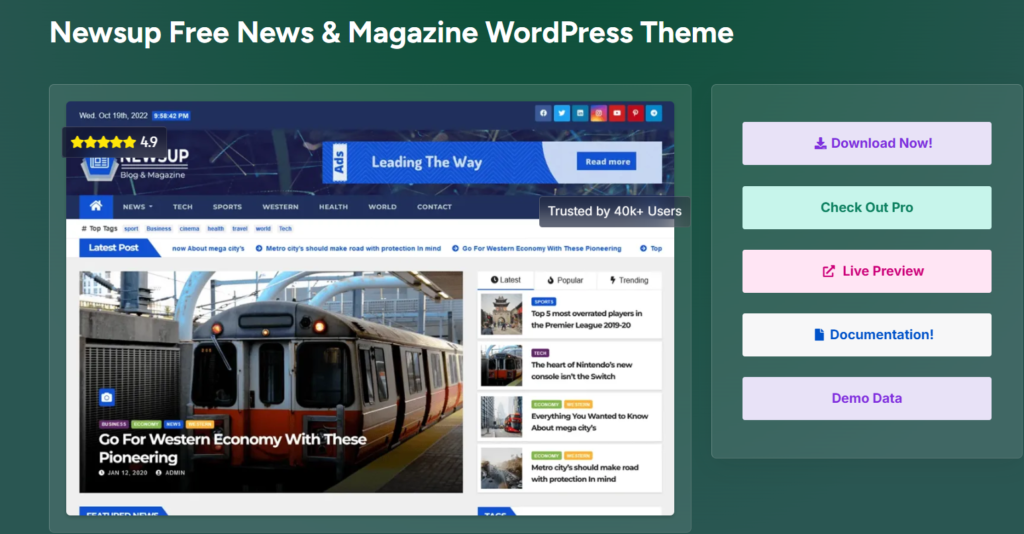
The theme relies on widgetized sections, allowing you to arrange different homepage blocks without modifying templates. Whether you publish daily updates, reviews, or editorial content, you can adjust the homepage to match your publishing style as your website grows.
Key Features
- Fully widgetized homepage
- Multiple blog and archive layouts
- Gutenberg compatibility
- WooCommerce support
- Translation and RTL ready
- Multiple sidebar options
- Responsive design
- SEO-friendly codebase
Pros
- Makes it easy to organize large volumes of articles.
- Flexible homepage that adapts to different publishing styles.
- Suitable for both single-author and multi-author websites.
- Includes useful layout options without requiring extra setup.
- Well-maintained with regular updates and documentation.
Cons
- Several advanced header and design options are reserved for the Pro version.
- Premium edition includes additional advertisement controls and custom widgets.
Free Version
The free version offers enough functionality to build a professional news or magazine website, including customizable homepage sections, multiple layouts, and compatibility with popular WordPress plugins. It’s a good fit for publishers who want flexibility without adding unnecessary complexity.
If you’re planning a news-focused publication, check out our guide on How to Create a News Website with WordPress.
4. CoverNews
CoverNews is designed for publishers who need more than a simple blog layout. It helps organize featured stories, trending articles, and multiple categories in a clean, easy-to-navigate homepage. This makes it a strong choice for online magazines, news portals, and content-rich websites.
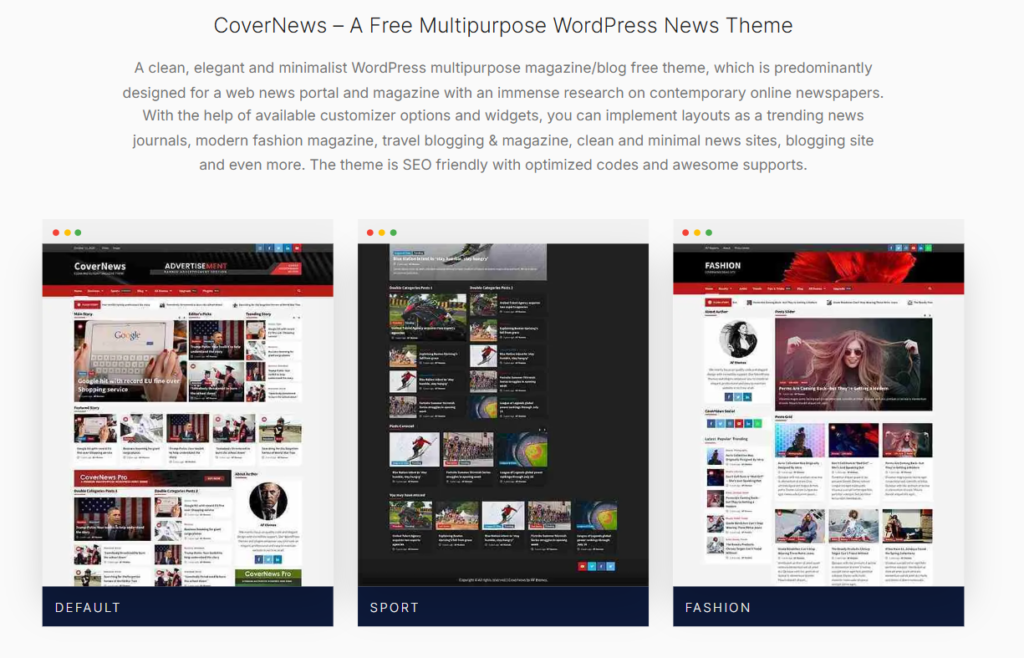
Another reason CoverNews stands out is its flexibility during setup. You can start with a ready-made demo, customize the layout using the WordPress Customizer, and enhance pages with Gutenberg blocks or Elementor if you need more design freedom. This gives you plenty of room to create a website that matches your brand without starting from scratch.
Key Features
- One-click starter demo import
- Block patterns and custom widgets
- Live WordPress Customizer support
- Gutenberg and Elementor compatibility
- WooCommerce integration
- Translation and RTL support
- SEO-friendly codebase
- Multiple homepage banner options
Pros
- Displays content-rich homepages without sacrificing readability.
- Lets you build a professional website quickly with starter demos.
- Works well for a wide range of magazine niches, from travel to fashion and news.
- Compatible with popular page-building tools for additional flexibility.
- Offers regular updates and detailed documentation.
Cons
- Some advanced header layouts and advertising controls are only available in CoverNews Pro.
- The large number of customization options may take time to explore for first-time users.
Free Version
The free version includes enough tools to build a polished magazine website, including demo imports, homepage customization, custom widgets, and compatibility with WooCommerce and the block editor. It offers a strong balance between ease of use and design flexibility for new publishers.
5. Newsmatic
Newsmatic is built for publishers who want the flexibility to design a modern news or magazine website without feeling limited by a traditional theme layout. Whether you’re starting an online newspaper, tech blog, or editorial publication, the theme gives you the freedom to design pages that match your content and brand.
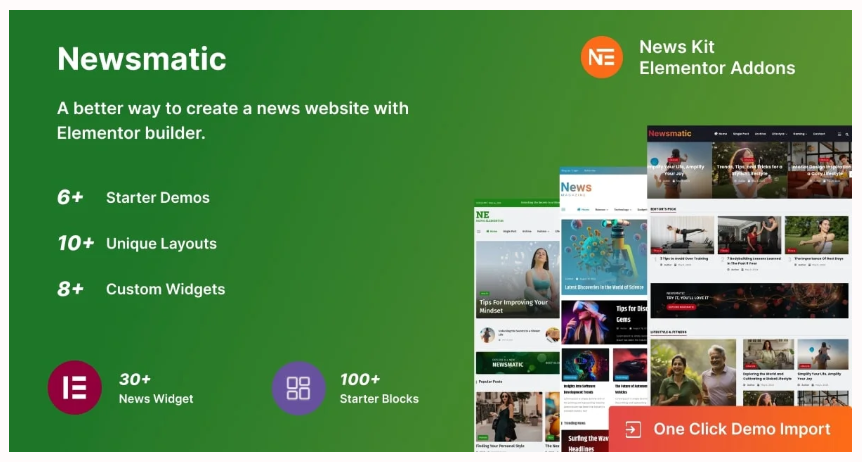
One of Newsmatic’s standout strengths is its seamless integration with Elementor. You can customize page layouts using a visual drag-and-drop editor, while Gutenberg support ensures you can work comfortably with WordPress’s native block editor. Combined with responsive design and compatibility with popular plugins, it provides a solid foundation for building a content-rich website that can grow over time.
Key Features
- Full Elementor compatibility
- Gutenberg support
- Ready-made starter demos
- Live WordPress Customizer
- WooCommerce integration
- Schema-ready framework
- Translation-ready
- Compatible with popular WordPress plugins
Pros
- Gives you greater creative freedom when designing pages.
- Adapts well to different magazine and news niches.
- Easy to extend with third-party plugins as your website grows.
- Beginner-friendly interface that doesn’t require coding.
- Regular updates and active development.
Cons
- Some premium templates and advanced customization options require the Pro version.
- You’ll get the most design flexibility when using Elementor alongside the theme.
Free Version
The free version includes the core tools needed to build a professional magazine website, including flexible layout controls, page builder compatibility, and responsive design. It’s a good choice if you want more customization than a typical free magazine theme offers.
6. HitMag
HitMag is another excellent free WordPress magazine theme that proves you don’t need dozens of design options to build a professional publication. Instead, it focuses on clean typography, organized content layouts, and practical publishing tools that help readers stay engaged. Whether you’re running a personal magazine, online newspaper, or niche blog, it offers a balanced experience that is easy to manage.
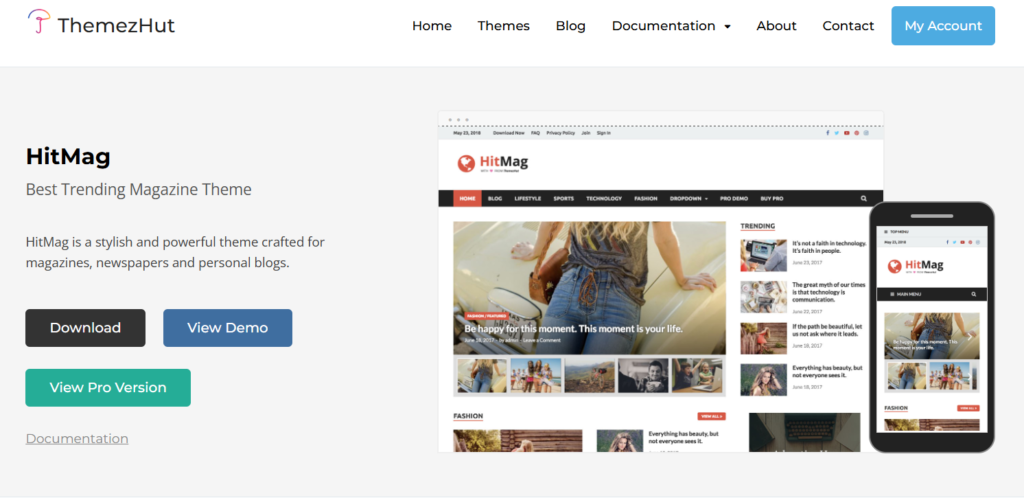
HitMag prioritizes a reader-friendly content experience. The theme includes multiple blog layouts, a featured content slider, related posts, and author information boxes. This encourages visitors to explore more articles after finishing a post. These built-in content features help improve navigation without relying on additional plugins.
Key Features
- Magazine homepage layout
- Four blog listing layouts
- Featured content slider
- Related posts
- Author information box
- WooCommerce compatibility
- Translation and RTL support
- Live WordPress Customizer
Pros
- Keeps long-form articles easy to read with a clean, distraction-free layout.
- Includes useful publishing tools without unnecessary complexity.
- Suitable for both personal blogs and editorial websites.
- Lightweight design that performs well across devices.
- Regularly maintained with detailed documentation.
Cons
- One-click demo import and several advanced customization options are available only in HitMag Pro.
- Premium edition unlocks additional widgets, typography controls, and layout options.
Free Version
The free version includes everything needed to launch a magazine or blog, including flexible blog layouts, a homepage magazine layout, post widgets, and essential customization options. It’s a great choice if you prefer a straightforward theme that’s easy to manage from day one.
7. Hueman
Some themes have stood the test of time, and Hueman is one of them. Trusted by thousands of publishers, it’s a dependable choice for blogs and magazine websites that publish content regularly. Its flexible multi-column layout and content-first design make it especially suitable for websites with multiple authors or a large archive of articles. Hueman is also one of the highest-rated magazine themes on WordPress.org, with over 20,000 active installations and a 4.9-star rating.
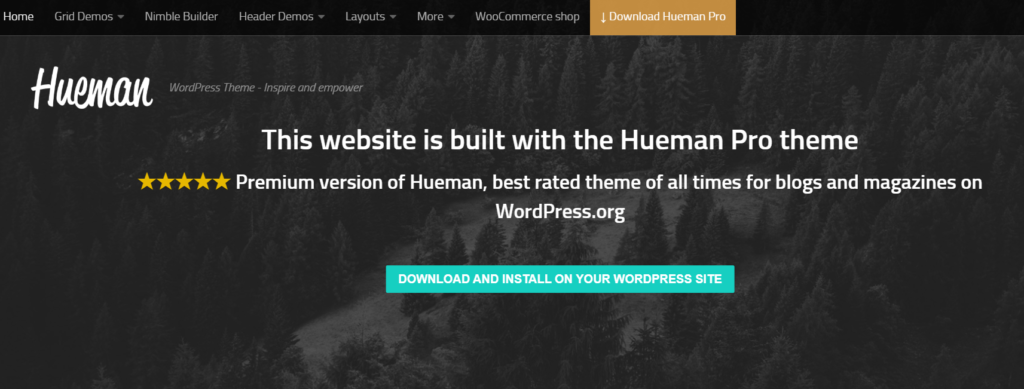
Beyond its clean design, Hueman focuses on making your content easy to discover. The theme offers flexible sidebar layouts, featured content support, and intuitive navigation that allows readers to explore more posts. At the same time, its lightweight structure and mobile-friendly design help deliver a smooth browsing experience across different devices.
Key Features
- Flexible one, two, and three-column layouts
- Multiple sidebar options
- Featured posts support
- Sticky navigation
- Live WordPress Customizer
- Translation-ready
- Responsive design
- Theme options panel
Pros
- Excellent choice for websites with multiple contributors.
- Makes navigating large content archives simple.
- Clean interface that keeps readers focused on your articles.
- Highly rated with a long history of active development.
- Works well for both blogs and online magazines.
Cons
- The free version includes fewer header and layout customization options than Hueman Pro.
- Some advanced design features and premium add-ons require the paid version.
Free Version
Hueman’s free version includes the essential tools needed to build a professional blog or magazine website. It includes flexible layouts, responsive design, sidebar controls, and customization options. It’s a reliable choice for publishers who prefer a mature, well-supported theme over one packed with unnecessary extras.
8. MH Magazine Lite
MH Magazine Lite is a great option if you prefer a classic newspaper-style homepage over a modern editorial design. It focuses on presenting headlines clearly, making it easier for readers to browse featured stories and category-based content. Whether you’re creating a local news website, online magazine, or editorial blog, the theme provides a familiar layout that’s simple to manage.
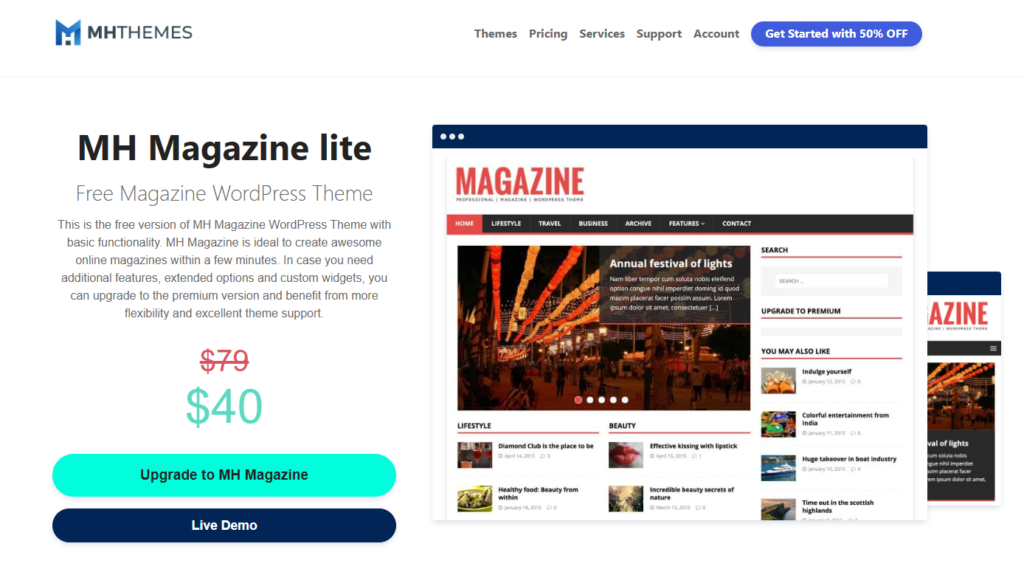
Another advantage is its straightforward setup. The theme uses widgetized homepage areas that let you arrange content sections without editing templates. Combined with responsive design and built-in customization options, it’s easy to create a professional-looking website while keeping your workflow simple.
Key Features
- Widgetized magazine homepage
- Custom widgets
- Responsive layout
- Gutenberg compatible
- WooCommerce support
- Translation ready
- Live WordPress Customizer
- SEO-friendly structure
Pros
- Organizes articles into clearly defined homepage sections.
- Easy to manage, even for beginners.
- Suitable for news portals and editorial websites.
- Lightweight design that performs well.
- Reliable option with regular maintenance.
Cons
- Several advanced layouts and premium widgets require MH Magazine Pro.
- Design customization is more limited than the paid version.
Free Version
The free version includes the essential tools needed to launch a professional magazine website, including homepage widgets, responsive layouts, and customization settings. It’s a practical choice for publishers who prefer a traditional news-style design.
9. News Magazine X
One of the best things about News Magazine X is how much control it gives you over your website’s layout without making the setup feel complicated. From the header and footer to your homepage and blog pages, you can customize almost every part of your site through the WordPress Customizer. It makes it easy to create a magazine website that reflects your brand. It’s a great choice for news portals, online magazines, and bloggers who want more flexibility than a typical free theme provides.
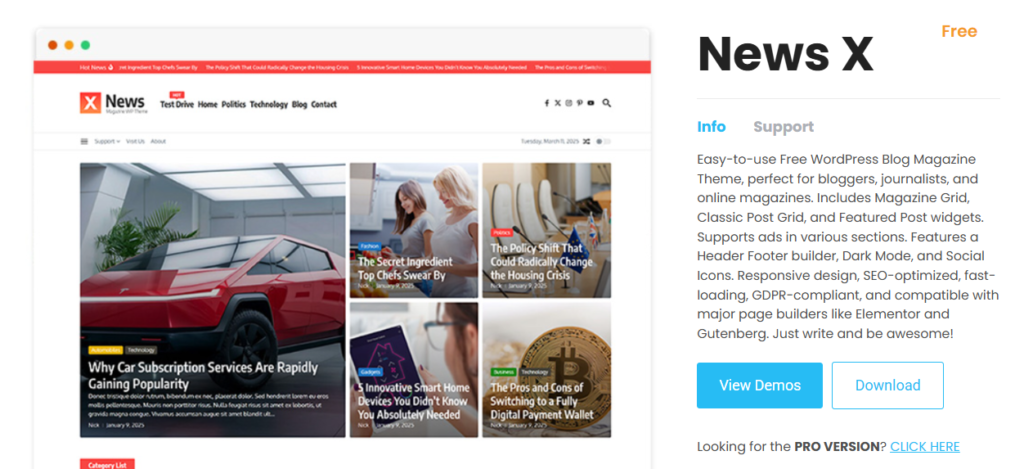
News Magazine X also comes with a useful collection of built-in widgets for displaying featured posts, magazine grids, post lists, and subscription forms. You don’t need to rely on several third-party plugins for basic homepage sections. You can organize your content using tools that are already included with the theme. This helps simplify your workflow while keeping your homepage engaging and easy to navigate.
Key Features
- Live editing with the WordPress Customizer
- Drag-and-drop header and footer builder
- Built-in magazine and post widgets
- Responsive and Retina-ready design
- SEO-friendly code
- Translation-ready
- Multiple homepage layouts
- WooCommerce compatibility
Pros
- Gives you more layout control than many free magazine themes.
- Includes several built-in widgets for showcasing content.
- Simplifies homepage customization without coding.
- Works well for different publishing styles and niches.
- Regularly updated with detailed documentation.
Cons
- Many advanced widgets, layouts, and search features are exclusive to News Magazine X Pro.
- The number of customization options may take some time to explore if you’re new to WordPress.
Free Version
The free version includes the essential tools needed to build a professional magazine website, including live customization, responsive layouts, built-in content widgets, and SEO-friendly foundations. It’s a strong choice if you want greater design flexibility without upgrading to a premium theme.
10. Cream Magazine
A good magazine website should look great, but it should also load quickly. Cream Magazine strikes that balance by combining a clean editorial design with performance-focused features. This makes a strong choice for publishers who want to deliver a smooth reading experience. Whether you’re building an online magazine, news portal, or niche blog, the theme is designed to help your content take center stage.
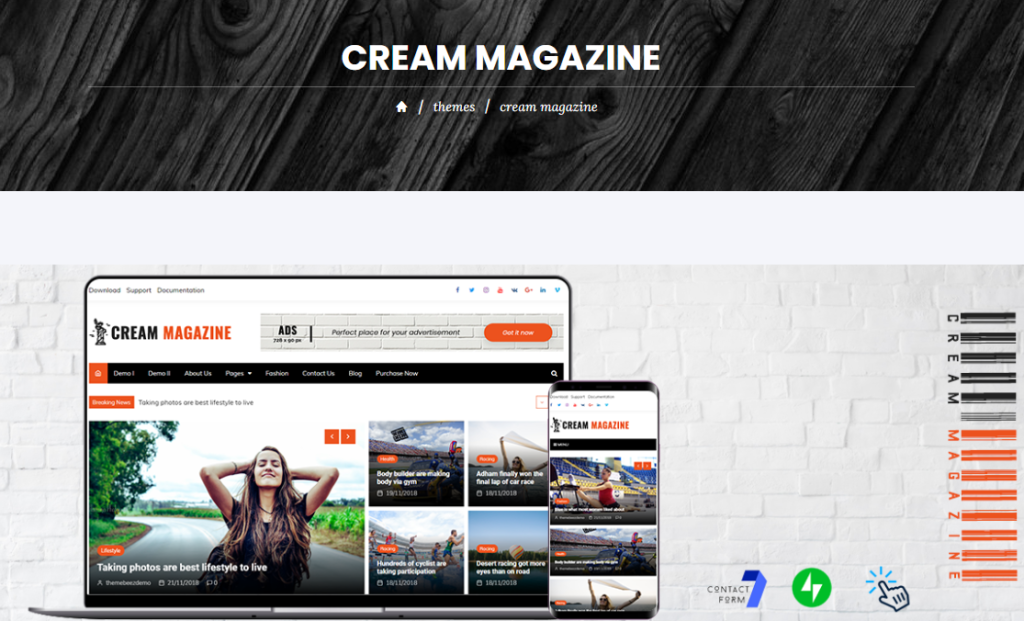
What makes Cream Magazine stand out is its focus on performance behind the scenes. It includes built-in lazy loading for images, minimizes HTTP requests, and works seamlessly with the WordPress Customizer. You can personalize your website while maintaining a fast, responsive experience for your visitors.
Key Features
- Clean magazine homepage layout
- Built-in lazy loading for images
- Live customization with the WordPress Customizer
- WooCommerce compatibility
- Responsive and mobile-friendly design
- SEO-friendly codebase
- Translation and RTL support
- Advertisement widget areas
Pros
- Prioritizes website speed without sacrificing usability.
- Creates a distraction-free reading experience for visitors.
- Suitable for a wide range of magazine niches, from news to lifestyle.
- Easy to personalize using native WordPress tools.
- Well-maintained with regular updates and documentation.
Cons
- Advanced typography, additional news widgets, and multiple banner layouts are available only in Cream Magazine Pro.
- The free version offers fewer homepage layout variations than the premium edition.
Free Version
The free version provides everything you need to launch a professional magazine website, including responsive layouts, homepage widgets, performance optimizations, and essential customization options. It’s an excellent choice if speed and simplicity are your top priorities.
11. News Portal
Getting your first magazine website online doesn’t have to be complicated. News Portal keeps things simple by offering a polished design and an intuitive setup process. It helps to launch a professional-looking publication even if you’ve never built a WordPress website before. It’s well-suited for online magazines, news portals, and content-focused blogs that need a clean, organized homepage.
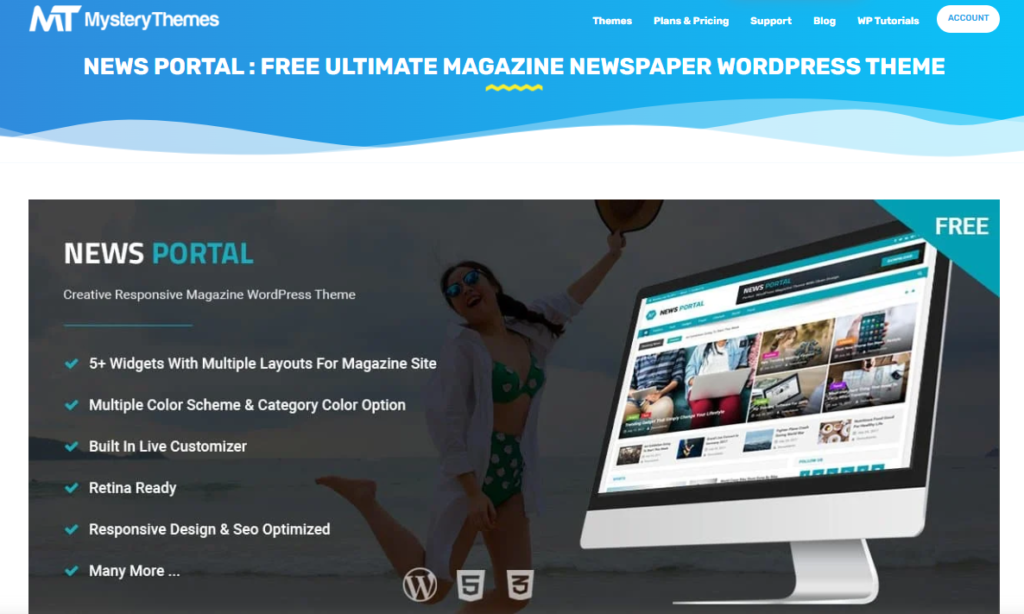
The theme also gives you plenty of flexibility as your website evolves. With multiple banner options, customizable category sections, and seamless integration with the WordPress Customizer. You can refresh your homepage and highlight different types of content without rebuilding your site from scratch.
Key Features
- Multiple homepage banner layouts
- Category-based content sections
- Live customization with the WordPress Customizer
- WooCommerce compatibility
- Responsive and mobile-friendly design
- Translation-ready
- Cross-browser compatibility
- SEO-friendly structure
Pros
- Easy to configure without technical experience.
- Makes homepage updates quick and straightforward.
- Works well for a variety of publishing niches.
- Maintains a clean and organized browsing experience.
- Supported by detailed documentation and regular updates.
Cons
- Some advanced layout options and additional widgets are available only in News Portal Pro.
- Premium features offer more control over colors, typography, and homepage sections.
Free Version
The free version includes the core features needed to launch a magazine or news website, including responsive layouts, homepage customization, and flexible content sections. It gives you a reliable starting point while leaving the option to expand with premium features as your publishing needs grow.
12. Blossom Magazine
Blossom Magazine packs an impressive collection of premium-style features into its free version, making it one of the most well-rounded magazine themes available. Instead of limiting you to basic layouts, it includes built-in newsletter sections, Instagram integration, unlimited color options, and extensive typography settings. It makes it possible for you to create a website that matches your brand. Whether you’re publishing travel guides, fashion articles, recipes, or business news, the theme adapts easily to different types of content.
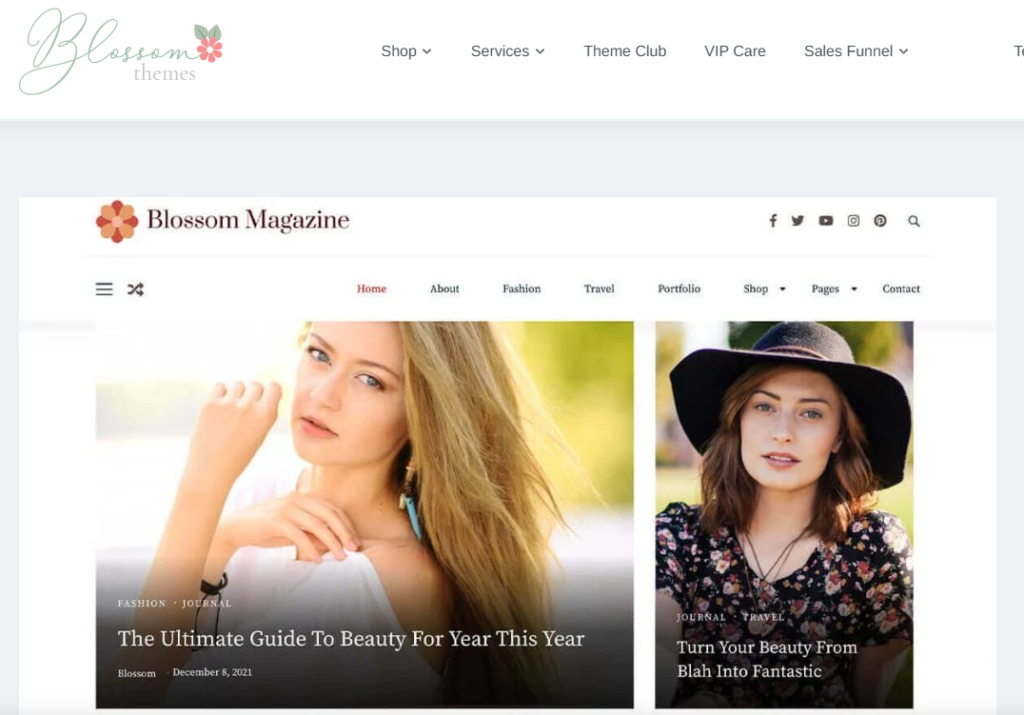
You’ll also appreciate how much flexibility it offers without adding complexity. The customization options are neatly organized in the WordPress Customizer, allowing you to personalize your homepage, fonts, colors, and layouts while keeping the editing experience straightforward. Combined with WooCommerce support and a responsive design, it provides a solid foundation for launching a modern online magazine.
Key Features
- Built-in newsletter subscription section
- Instagram feed integration
- Multiple homepage layouts
- Unlimited color options
- 900+ Google Fonts
- WooCommerce compatibility
- Responsive and mobile-friendly design
- SEO-friendly and schema-ready
- Translation and RTL support
Pros
- Includes several marketing features that are uncommon in free themes.
- Flexible enough for a wide range of magazine niches.
- Makes branding easy with extensive typography and color controls.
- Creates a polished experience across desktop and mobile devices.
- Easy to manage using native WordPress customization tools.
Cons
- Additional homepage layouts, widgets, and advanced customization options are reserved for Blossom Magazine Pro.
- Some premium design and marketing features require an upgrade.
Free version
The free version offers far more than the essentials. Along with responsive layouts and customization options, it includes newsletter integration, Instagram support, flexible branding controls, and WooCommerce compatibility, making it a practical choice for anyone building a professional magazine website on a budget.
How to Choose the Best Free WordPress Magazine Theme?
The best free WordPress magazine theme depends on the type of website you’re building. A news portal that publishes dozens of stories each week needs different features than a travel blog or lifestyle magazine. Before making your choice, focus on the features that will support your publishing workflow today and as your website grows.
Match the Theme to Your Content
Think about the type of articles you’ll publish most often. News websites usually benefit from category-based homepages and featured headline sections. Whereas lifestyle and travel magazines often need image-focused layouts that highlight visual content.
Look for Flexible Customization
A good theme should let you personalize your website without editing code. Features like the WordPress Customizer, starter templates, and flexible homepage sections make it much easier to create a site that reflects your brand.
Prioritize Speed and Mobile Responsiveness
Most readers browse articles on their phones, so your theme should load quickly and adapt to different screen sizes. A lightweight, responsive theme improves the reading experience and helps keep visitors engaged.
Check Plugin Compatibility
As your website grows, you’ll likely install plugins for SEO, newsletters, contact forms, analytics, or eCommerce. Choosing a theme that’s compatible with popular WordPress plugins helps you expand your website without running into compatibility issues.
Consider Your Long-Term Goals
Many free themes include the essentials needed to launch a professional website, while premium versions unlock additional layouts and customization options. If you expect your publication to grow, choosing a theme with a clear upgrade path can save you from switching themes later.
Review Updates and Support
An actively maintained theme is more likely to stay compatible with the latest WordPress releases and security updates. Before installing a theme, check that it’s regularly updated and backed by documentation or a support team.
Quick tip: If you’re launching your first magazine website, choose a lightweight, responsive theme with flexible customization and reliable support. You can always upgrade later if you need more advanced publishing features.
Free vs. Premium WordPress Magazine Themes: Which One Should You Choose?
A free WordPress magazine theme is often enough to launch a professional website. Most free themes include responsive layouts, homepage customization, WooCommerce compatibility, and essential publishing features. If you’re starting a personal blog, online magazine, or local news website, you can build a fully functional site without spending anything on a premium theme.
However, as your website grows, you may need more advanced tools. Premium themes typically include additional homepage layouts, advanced typography controls, premium widgets, one-click demo imports, dedicated support, and more customization options. These features can save you time and make it easier to manage a high-traffic publication.
Conclusion
Choosing the best free WordPress magazine theme depends on your publishing goals and the type of content you plan to create. Some themes prioritize flexibility with page builders, while others focus on performance, traditional news layouts, or visual storytelling. The right choice is the one that matches your content strategy and gives you room to grow.
If you’re looking for a well-rounded option, WENS Press is our top recommendation. Its free version includes responsive layouts, category-based sections, WooCommerce support, and flexible customization. As your website grows, WENS Press Pro adds more magazine demos, advanced Gutenberg blocks, and extra customization options. It lets you expand your website without changing themes.
FAQs
1. Can I create a professional magazine website with a free WordPress theme?
Yes. Many free WordPress magazine themes include responsive layouts, homepage customization, SEO-friendly code, and compatibility with popular plugins. These features are often enough to launch a professional online magazine without purchasing a premium theme.
2. Which free WordPress magazine theme is best for beginners?
News Portal and WENS Press are excellent choices for beginners because they offer intuitive customization options, responsive layouts, and an easy setup process without requiring coding knowledge.
3. Are free WordPress magazine themes SEO-friendly?
Most well-maintained themes follow WordPress coding standards and work seamlessly with SEO plugins like Yoast SEO and Rank Math. Choosing a lightweight, regularly updated theme can also help improve your website’s performance and search visibility.
4. Can I use WooCommerce with a free magazine theme?
Yes. Many free themes, including WENS Press, ColorMag, CoverNews, and Newsmatic, support WooCommerce, allowing you to sell digital or physical products directly from your website.