The right e-commerce theme makes your online store look good and run fast. It also helps shoppers find products, add them to the cart, and check out with ease.
In this guide, you will find the 9 best e-commerce themes for WordPress, both free and paid. We compared them on speed, store features, and ease of use, so you can pick the right one fast.
Top WordPress Themes for E-commerce
The best eCommerce themes for WordPress include WENS Styllusion, WENS Honey, SeedProd, Shoptimizer, Flatsome, Storefront, Kadence, Astra, and Blocksy. Each offers different design options, customization tools, and store features to suit various business needs, budgets, and product types.
1. WENS Styllusion
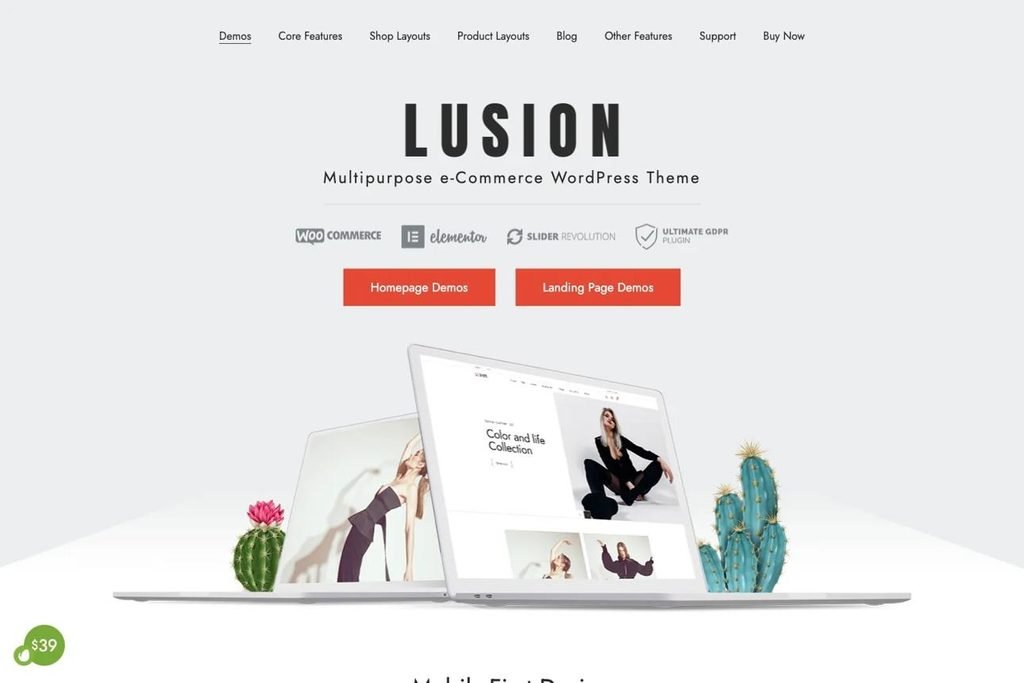
Best for: Fashion and lifestyle stores
WENS Styllusion is an eCommerce WordPress theme designed for businesses that want a polished storefront without having to build every page from scratch. As a child theme of WENS Haelo, it provides a store-focused design for selling clothing, fashion accessories, furniture, sports gear, and fitness products.
Its pre-designed sections for Home, Shop, Men, Women, Kids, and Brand help organize product collections into clear shopping categories. Customers can browse the catalog, use the search bar, and add products to their cart. You can also customize fonts, colors, button styles, and section opacity in WordPress’s customization options without writing code.
The theme supports WooCommerce for product listings, orders, and transactions. Its responsive layout adapts to different screen sizes, while its block-based design and customizable patterns provide flexibility when building storefront pages. Jetpack compatibility also gives store owners the option to add supported site-management and performance tools.
Why choose WENS Styllusion?
It suits fashion retailers and lifestyle brands that want a category-focused storefront with a coordinated visual style. Its ready-made sections can help establish a clear product hierarchy without requiring a completely custom design.
2. WENS Honey

Best for: Small businesses and flexible online stores
WENS Honey is a multipurpose WordPress theme built around the native block editor and Full Site Editing (FSE). Rather than focusing exclusively on product catalogs, it gives you a flexible foundation for creating a business website, blog, portfolio, or eCommerce storefront.
The theme includes editable templates and template parts, allowing you to customize areas such as the header, footer, homepage, blog, and standard pages through the WordPress site editor. Its block patterns provide ready-made sections for testimonials, galleries, calls to action, featured content, and business information. You can adapt these sections to introduce your brand, highlight products, feature customer feedback, or promote special offers.
WENS Honey also offers responsive layouts, translation readiness, and a lightweight design approach. These features make it a practical starting point for businesses that want to manage their website through WordPress’s native editing tools rather than rely on a separate page builder.
Why choose WENS Honey?
It is a good option if you want an eCommerce website alongside business content, such as a company introduction, blog, service pages, or customer testimonials. For a full online store, pair it with WooCommerce and verify that the product, cart, and checkout layouts meet your requirements.
3. SeedProd
Best for: Store owners who want visual design control
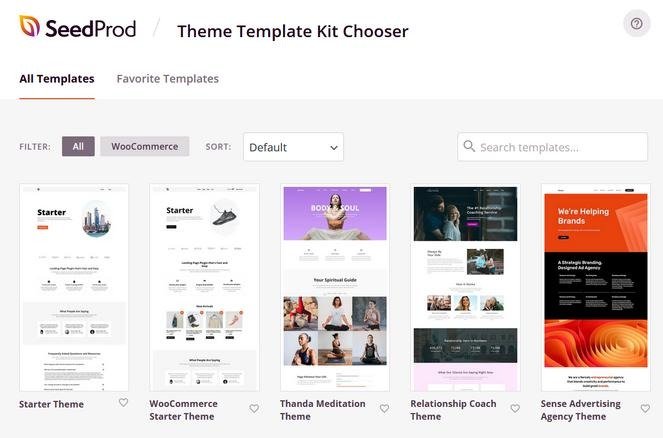
SeedProd is a WordPress website builder with theme-building functionality that lets you design an eCommerce store visually. Instead of relying entirely on a theme’s predefined layouts, you can create custom templates for individual products, product archives, the main shop, the cart, and checkout.
Its drag-and-drop editor includes WooCommerce blocks for displaying product grids, prices, product images, ratings, add-to-cart buttons, and related products. You can arrange these elements to suit your catalog and create a consistent design across product and shopping pages. The builder also supports custom cart and checkout layouts, giving you control over how customers move from browsing to ordering.
SeedProd is especially useful when you want your store to follow a specific brand identity or promotional strategy. For example, you can create a focused landing page for a new collection, feature best-selling products, or build a product page that gives key details and purchase options greater prominence.
Why choose SeedProd?
Consider it if you prioritize control over the entire storefront layout and want to design individual shopping pages without coding.
4. Shoptimizer
Best for: WooCommerce stores focused on shopping usability and conversions
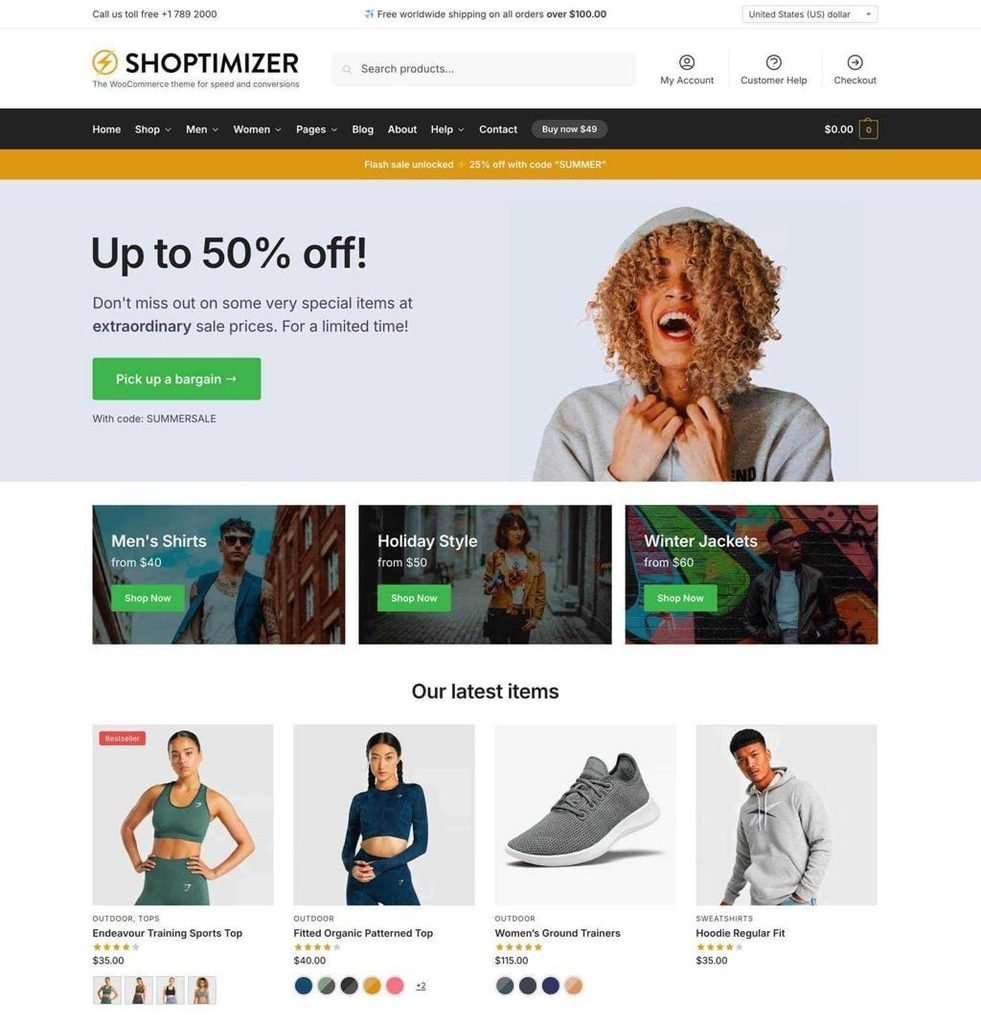
Shoptimizer is a WooCommerce theme developed with two main priorities: performance and the shopping experience. Its design focuses on helping customers find product information quickly and move through the buying process with fewer distractions.
The theme includes features such as Ajax add-to-cart, sticky add-to-cart functionality, product attribute swatches, and customizable shop and category layouts. These tools can make it easier for shoppers to browse products, select variations, and access purchase controls without unnecessary navigation. Shoptimizer also supports product-page enhancements and trust-focused elements that help stores present important buying information clearly.
Shoptimizer is particularly relevant to stores with extensive catalogs or products that have multiple options, such as clothing sizes, colors, and styles. Its CommerceKit integration adds further eCommerce tools, including product-gallery features, size guides, wishlists, and other merchandising enhancements. The exact features available depend on the relevant theme and plugin configuration.
Why choose Shoptimizer?
It is worth considering if your store already has a clear product range and you want a WooCommerce-focused theme with built-in shopping features. Remember that actual page speed and conversion results also depend on hosting, plugins, product images, and checkout configuration.
5. Flatsome
Best for: Highly customized online stores
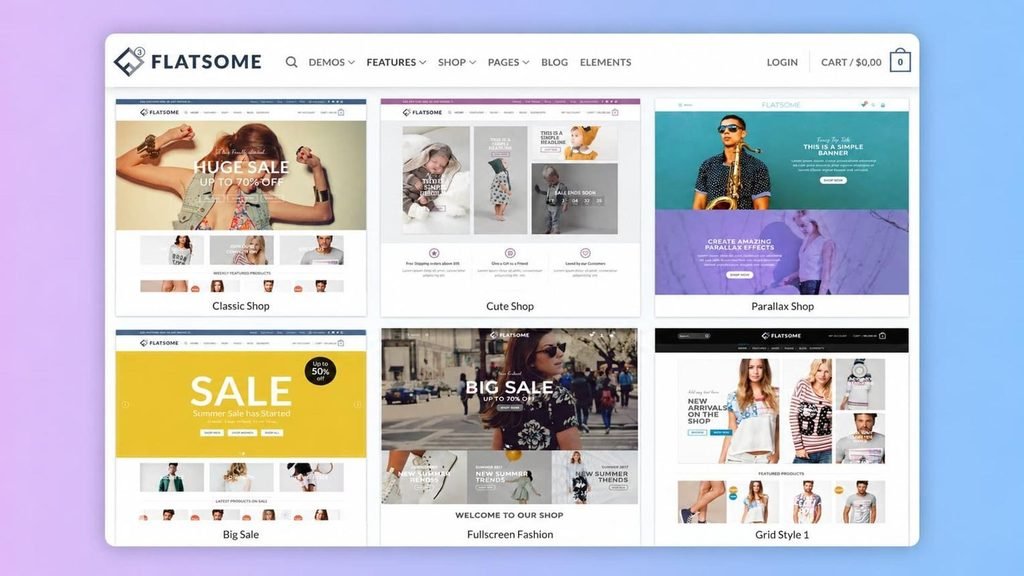
Flatsome is a WordPress theme and site-building solution designed around WooCommerce. It gives store owners extensive control over storefront layouts, product presentation, promotional sections, and the shopping journey.
Its visual builder lets you create product pages, shop layouts, banners, sliders, and promotional landing pages. You can customize product galleries, position prices and purchase buttons, and organize collections into grids or sliders. Features such as product quick view, live search, mega menus, and configurable product layouts help shoppers explore a catalog without making the interface feel restrictive.
Flatsome also supports shopping cart and checkout customization, allowing the design to remain consistent throughout the purchase process. Its responsive controls help you adjust layouts for desktop and mobile shoppers. These options are useful for businesses that want to present seasonal campaigns, new collections, or featured products in a distinctive way.
Why choose Flatsome?
It is a strong candidate if visual customization is a priority and you want to build a distinctive storefront with extensive control over product and promotional layouts. Its broad feature set may require more setup time than a simpler theme, so plan your design around the functions your store actually needs.
6. Storefront
Best for: Beginners and store owners who prefer a simple foundation
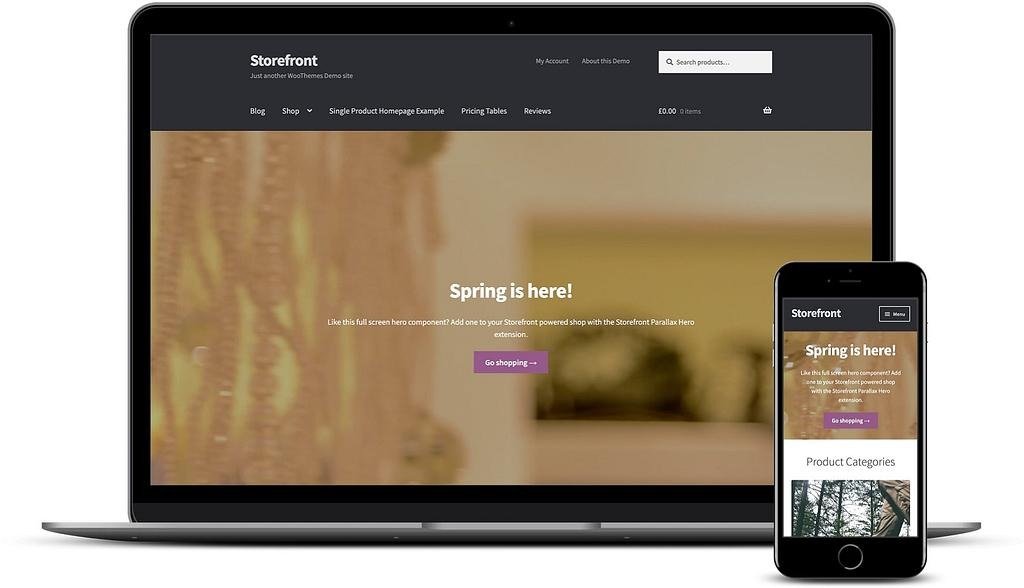
Storefront is the official WooCommerce theme developed by the WooCommerce team. Its main advantage is its close integration with WooCommerce, making it a practical starting point for building a store without committing to a feature-heavy design system.
The theme provides a responsive layout, product-focused page structure, customization options, and compatibility with popular WooCommerce extensions. You can adjust basic visual settings through the WordPress Customizer and extend the storefront with plugins or a child theme when you need additional functionality.
Storefront’s relatively straightforward design works well for stores that want to prioritize products and categories instead of elaborate animations or complex page layouts. Developers can also use its extensible codebase to add custom features while keeping the core theme separate from their modifications.
Why choose Storefront?
Choose it if you want a free, WooCommerce-first theme with a straightforward starting point and room for development. If you need advanced filters, extensive styling controls, or highly customized product pages, you may need additional extensions or custom development.
7. Kadence
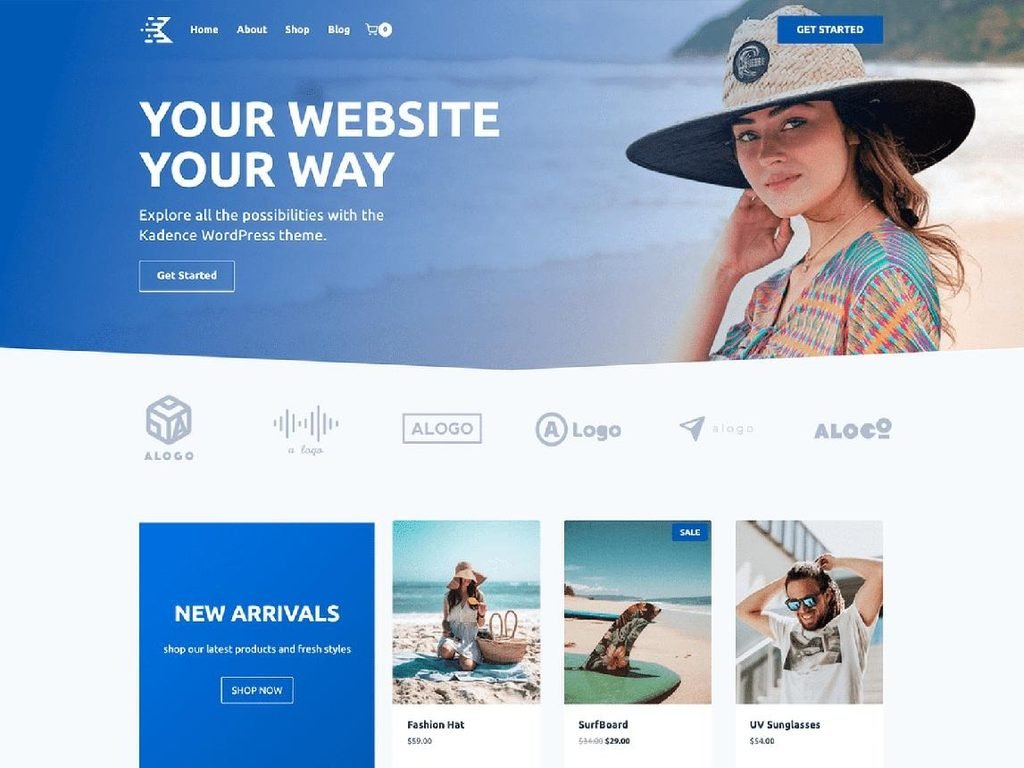
Best for: Store owners who want flexible layouts and easy customization
Kadence is a customizable WordPress theme with a visual header and footer builder, responsive layout controls, and WooCommerce support. It suits store owners who want to adjust their website’s appearance through accessible controls rather than rely on extensive custom code.
Its drag-and-drop header builder lets you arrange elements such as navigation, branding, and cart access. You can also define global color palettes, typography, button styles, and page layouts to maintain a consistent appearance across your store. These controls are useful when you want your product pages, blog, and supporting business pages to feel like part of the same brand.
Kadence supports WooCommerce and offers additional eCommerce customization through its wider product ecosystem, including Kadence Shop Kit. Depending on the tools and plan you use, these extensions can provide more control over product displays and the shopping experience.
Why choose Kadence?
It is a good fit for store owners who want a customizable WordPress site that can combine an online shop with content marketing, tutorials, or a business blog. Review which eCommerce features come with the free theme and which require paid tools before making your decision.
8. Astra
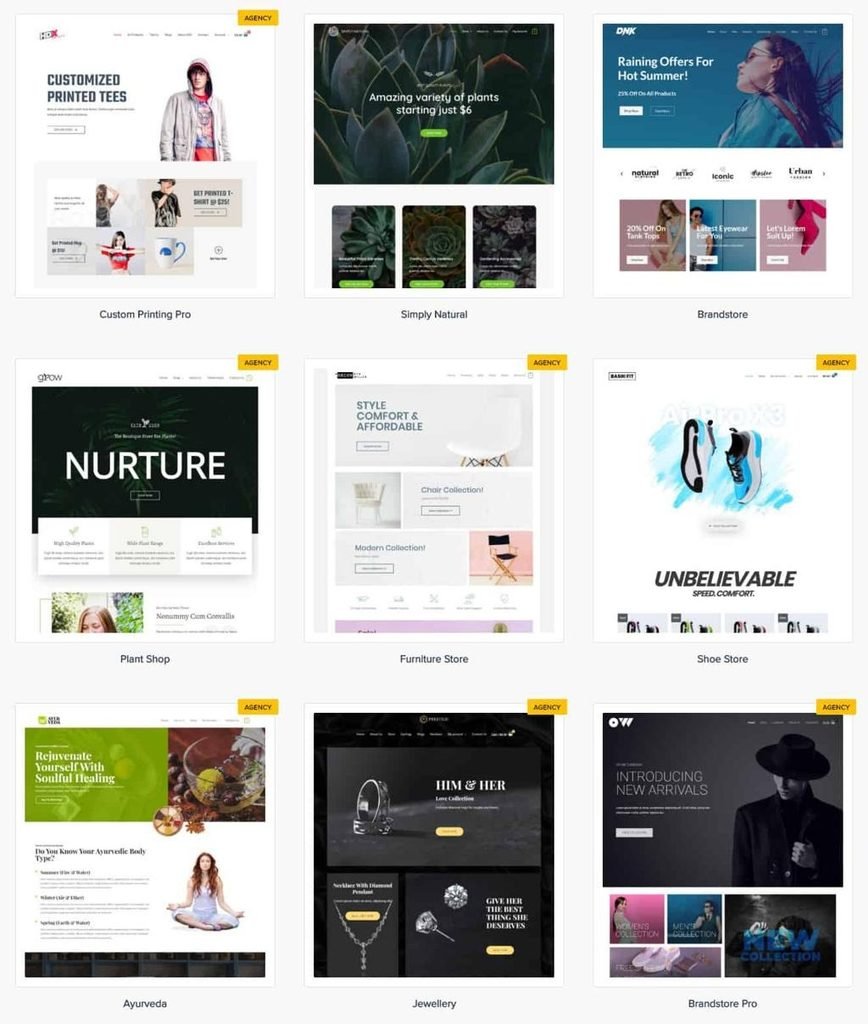
Best for: Beginners, growing stores, and multiple store types
Astra is a multipurpose WordPress theme with WooCommerce-specific customization options and a wide range of starter designs. It gives store owners a flexible base for building different types of eCommerce websites, from fashion and beauty shops to furniture and specialty-product stores.
Its WooCommerce features focus on how shoppers browse products and interact with purchase controls. Depending on the version and configuration, you can customize product layouts, gallery styles, shop grids, and cart presentation. Astra’s broader customization system and starter templates also help you establish a store design without creating every page from the beginning.
For businesses that publish articles alongside products, Astra can support a combined content and commerce strategy. You can create product categories, add buying guides, and publish useful information to help customers understand what you sell. Its responsive layouts support browsing across different screen sizes, while the available customization tools help you maintain a consistent brand.
Why choose Astra?
Astra is worth considering if you want a flexible theme that can serve both your store and wider business website. Check the feature comparison for your chosen plan, since some advanced WooCommerce controls and design options may depend on the paid version.
9. Blocksy
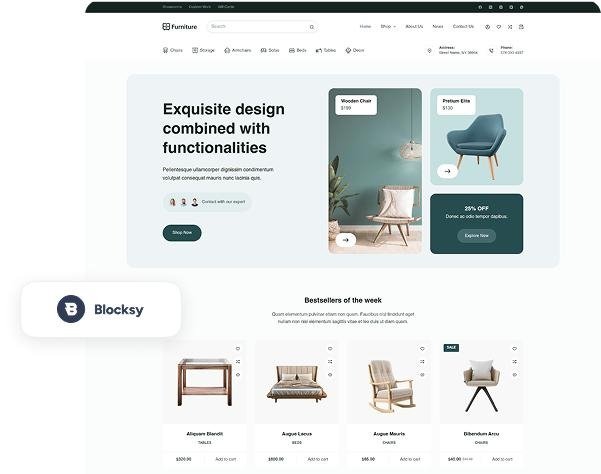
Best for: Modern stores that need flexible product layouts
Blocksy is a modern WordPress theme with block-editor support and extensive WooCommerce customization options. It works well for store owners who want to control how products appear in catalog pages and how individual product pages guide customers toward a purchase.
Its product-page controls let you arrange elements such as product titles, ratings, prices, descriptions, galleries, and add-to-cart buttons. The theme also supports features such as quick view and Ajax add-to-cart. These options help create a more interactive browsing experience while allowing customers to access essential product information.
Blocksy’s wider customization tools include global color and typography settings, responsive layout controls, and starter designs. Advanced eCommerce features, including product filters, comparison tools, variation swatches, and wishlists, depend on the available extensions and plan. Its modular approach lets store owners enable relevant functionality rather than use every available feature.
Why choose Blocksy?
Consider Blocksy if you want a contemporary storefront with detailed product-page controls and room to expand its shopping features. It is especially useful when your store needs a distinct visual identity and a carefully organized product catalog.
How to Choose the Best E-Commerce Theme
The best e-commerce theme for your WordPress website depends on your product range, design preferences, budget, and store requirements. Before choosing a theme, compare the following factors to find one that supports your business goals and shopping experience.
1. WooCommerce Compatibility
If you plan to use WooCommerce to manage your online store, choose a theme that supports it properly. Check whether the theme works with product pages, shop archives, cart and checkout pages, and product variations. Good compatibility helps you build a consistent shopping experience without relying on unnecessary workarounds.
2. Performance and Mobile Responsiveness
Your store should load efficiently and display correctly on desktops, tablets, and smartphones. Look for a theme with a responsive layout and avoid unnecessary visual effects that add complexity. However, remember that hosting, plugins, image sizes, and caching also affect your website’s performance.
3. Customization Options
Consider how much control you need over your store’s appearance. Some themes offer ready-made layouts and starter templates, while others provide visual builders or detailed controls for product pages, headers, footers, and shop archives. Choose an option that matches your design requirements and technical experience.
4. Essential E-commerce Features
Review the features available in the theme and determine whether you need additional plugins. Useful capabilities include product filters, product search, variation swatches, quick view, wishlists, and customizable product layouts. Also, check whether your preferred payment, shipping, inventory, and checkout functions require separate WooCommerce extensions.
5. Ease of Use
A theme should make routine website management straightforward. Check whether you can update layouts, adjust colors, organize product categories, and maintain your storefront without editing code. Beginners may prefer a theme with ready-made templates, while experienced users may value greater control over page layouts and development options.
6. Pricing and Support
Free themes can provide a useful starting point for new stores, while premium themes may include advanced customization options, additional features, and dedicated support. Compare the total cost, including any required plugins, extensions, renewals, and development work. Before committing, review the theme’s documentation, update history, and support options.
Conclusion
Choosing the right eCommerce theme helps you create a store that looks professional, showcases products clearly, and provides a smooth shopping experience.
If you want a fashion-focused storefront, WENS Styllusion offers ready-made product sections and customizable layouts to organize collections and present merchandise. Explore the WENS Styllusion demo to see its design in action.
For a more flexible website that combines online shopping with business pages, blogs, and other content, WENS Honey provides a block-based design built around WordPress Full Site Editing. Explore the WENS Honey demo to see how its layouts can support your website. Both themes support WooCommerce, making them worth considering for your WordPress eCommerce store.
FAQs
What Features Should a Good E-Commerce Theme Have?
A good e-commerce theme should offer responsive layouts, WooCommerce compatibility when required, customizable product pages, clear navigation, and a straightforward shopping experience. It should also support the plugins and extensions your store needs for payments, shipping, product management, and checkout.
Free vs. Premium E-Commerce Themes: Which Should You Choose?
A free e-commerce theme can be a good choice for a new store with basic design and customization needs. A premium theme may offer additional product layouts, advanced customization options, built-in shopping features, and dedicated support. Compare the features included in each version and factor in any additional plugin costs before deciding which option best suits your budget and requirements.
Can I Change My WordPress E-Commerce Theme After Launching My Store?
Yes, you can change your WordPress eCommerce theme after launching your store. Your products, orders, and customer data generally remain intact when WooCommerce manages them, but the new theme may change your store’s layout, styling, and some theme-specific features. Back up your website and test product pages, cart, checkout, and mobile layouts before making the switch.
Do WordPress E-Commerce Themes Affect SEO?
Yes, a theme can influence SEO through its page structure, mobile usability, performance, and compatibility with SEO tools. However, choosing a theme alone will not guarantee higher rankings. You should also optimize product descriptions, images, internal links, site speed, and technical SEO.