Have you ever imagined building the next Wired, Vox, or HuffPost? Every major publication started with one person and a simple idea. Whether you want to share industry insights, build a niche publication, or grow a media business, an online magazine gives you a platform to reach readers worldwide.
WordPress gives you the tools to launch a professional online magazine website without needing design or coding experience. Even Time.com, one of the largest publications on the internet, runs on WordPress. You do not need rare skills to pull this off. You need the right tools, a bit of patience, and this walkthrough.
We will guide you through every stage of building a magazine site that your readers will enjoy visiting, from planning your niche to publishing your first articles.
Key Highlights
- An online magazine website organizes content into categories, follows an editorial schedule, and serves a broader audience than a typical blog.
- Creating an online magazine website with WordPress requires a domain, hosting, a magazine-specific theme, and a small set of essential plugins.
- Magazine WordPress themes differ from standard blog themes by offering category-based layouts, featured story sections, and editorial-style homepage designs.
- A basic online magazine website can be launched for under $100 in the first year using budget hosting and a free WordPress theme.
Why Choose WordPress for Your Online Magazine?
WordPress gives you everything you need to build, manage, and grow an online magazine without coding. It is flexible enough for beginners while offering room to expand as your publication grows.
WordPress is the world’s most popular content management system (CMS). According to W3Techs, WordPress powers 41.5% of all websites, making it the world’s most widely used content management system. Thousands of publishers, businesses, and independent creators use WordPress because it is flexible, scalable, and easy to customize.
Here are a few reasons publishers choose WordPress:
- Easy to manage. Publish articles, organize categories, schedule posts, and manage multiple authors from one dashboard.
- Built for customization. Thousands of themes and plugins let you tailor your website without custom development.
- SEO-friendly. Popular SEO plugins and clean site structures help improve your visibility in search engines.
- Designed to grow. You can start with a small publication and later add memberships, newsletters, online stores, or additional contributors.
- Supports magazine themes. A dedicated magazine theme gives you featured stories, category sections, and editorial layouts that standard blog themes often lack. Choosing the right theme early also makes it easier to customize your website as your content grows.
Essential Components Every Online Magazine Website Needs
A successful online magazine does more than publish articles. It makes content easy to discover, enjoyable to read, and simple to explore. Before you start building your website, make sure it includes these essential features.
1. Strong Editorial Design
Your website’s design shapes the first impression readers have of your magazine. A clean editorial layout makes it easier to highlight featured stories, organize articles by category, and encourage visitors to explore more content.
Look for a magazine theme that offers flexible homepage sections, readable typography, consistent spacing, and clear navigation. These features help you present large amounts of content without overwhelming your readers.
2. Responsive and Fast
Readers arrive on every kind of device, from phones to tablets to laptops. A responsive layout adjusts automatically so your site looks right no matter the screen.
Speed matters as much, and Google considers page experience and performance among many signals that affect search visibility. Magazine sites lean heavily on images, which can drag load times down fast if you are not careful. A lightweight theme paired with proper image optimization keeps your pages quick, even with heavy visual content.
3. Photo and Video Gallery
Photos and videos tell a story faster than paragraphs can, and they add emotional weight that plain text often misses. Images and videos break up long articles, capture attention, and help explain complex topics.
Use high-quality media that supports your content, and optimize file sizes to keep pages loading quickly. If you publish photography, travel, or lifestyle content, consider adding gallery layouts so readers can browse multiple images without leaving the page.
4. Membership and Subscription
Once your content builds real authority in your niche, a portion of your audience will want more than free access. This is where a loyal readership becomes a business asset.
A membership setup lets you lock premium articles, offer early access, or build a private community around your best work. Readers who trust your voice are often willing to pay for that exclusivity, especially once you have proven consistent quality.
5. Advertisement Spaces
Advertising remains one of the most direct ways to earn from traffic. As your readership grows, advertisers in your niche will want visibility on your pages.
WordPress does not manage multiple ad zones on its own, so you will need a dedicated ad management plugin to rotate banners across your header, sidebar, and in-article spots without manual work.
6. Newsletter
A newsletter helps you bring readers back whenever you publish new content. Unlike social media, email lets you communicate directly with subscribers who already enjoy your articles.
Add a simple signup form to your homepage, sidebar, or below articles to encourage subscriptions. Send regular updates with your latest stories or exclusive content to keep readers engaged and encourage repeat visits.
7. Polls and Surveys
Polls and surveys help you understand what your readers want to see next. They encourage participation and give you valuable feedback that can shape your future content.
For example, you can ask readers which topics interest them most, gather opinions on industry trends, or collect feedback about your website. These insights help you create content that better matches your audience’s interests.
How to Create an Online Magazine Website With WordPress?
Step 1: Choose your Magazine Niche and Target Readers
Avoid competing head-on with major, general-topic publications right out of the gate. Pick a focused niche instead, one narrow enough that you can realistically lead it.
Take a broad topic you care about, then narrow it down. If general phone reviews are already crowded, consider something more specific, like phone camera testing paired with accessory reviews. A tighter niche gives you a real shot at becoming the go-to source instead of one voice among hundreds.
Step 2: Choose a Memorable Magazine Name
Once your niche is set, choose a name that reflects it clearly. A name tied to your topic sticks in readers’ minds far more easily than something abstract.
Personal names are rare for magazines, though exceptions exist. Short names and abbreviations tend to work best, since readers naturally gravitate toward names that are easy to say and remember.
Step 3: Register a Domain and Buy Hosting
Your domain is your website’s address, so pick one that matches your magazine name closely. Registrars like Namecheap or Domain.com make this part quick and affordable.
Hosting is where your website actually lives. Look for a host with strong uptime, fast speeds, and responsive support. Magazine websites usually publish more images and content than personal blogs, so choose a hosting plan that can handle future growth.
Step 4: Install WordPress
After purchasing hosting, install WordPress through your hosting dashboard. Most providers complete the installation in just a few minutes. Once installed, log in to your WordPress dashboard.
Before customizing your website, complete a few basic settings:
- Set your website title and tagline.
- Configure your time zone.
- Choose your preferred permalink structure.
- Delete default posts and pages.
- Update WordPress to the latest version.
These small tasks create a clean foundation before you start designing your magazine website.
Step 5: Choose and Install a Magazine WordPress Theme
Your theme shapes how readers experience your magazine. It affects your layout, content organization, and overall reading experience. Choosing the right theme from the beginning makes it easier to manage your website as it grows.
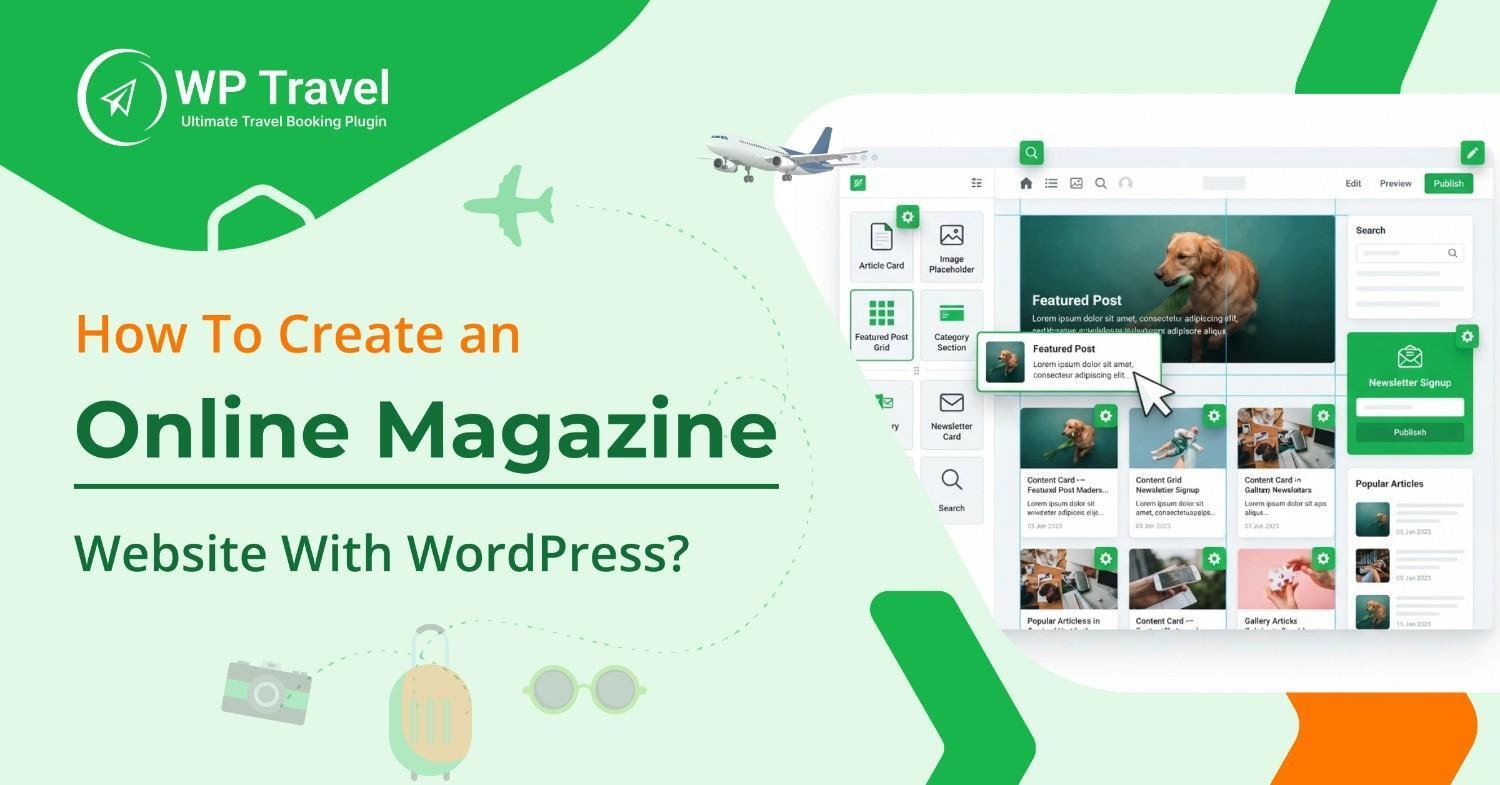
While WordPress offers thousands of themes, not all are designed for content-heavy publications. A dedicated WordPress magazine theme includes layouts and features that help you organize large amounts of content more effectively.
When comparing themes, look for features such as:
- Responsive design
- Pre-built magazine layouts
- Easy customization
- Regular updates
- Compatibility with popular WordPress plugins
- Simple setup without coding
If you are looking for a theme built for publishers, WENS Press Pro is designed for online magazines, news websites, editorial blogs, and content-focused publishers. It includes nine pre-built magazine demos, one-click demo import, easy customization options, and responsive layouts to help you launch your website faster. No coding is required to get started.
After choosing your theme, install it in WordPress.
- Download the theme ZIP file from your account.
- Log in to your WordPress dashboard.
- Go to Appearance → Themes.
- Click Add New, then Upload Theme.
- Select the ZIP file and click Install Now.
- Activate the theme after the installation finishes.
Once your theme is active, you can begin customizing your website and preparing it for your content.
Step 6: Import a Demo Layout and Customize Your Website
Starting from a blank page can slow down new website owners. Demo layouts help you launch much faster by providing professionally designed pages that you can personalize.
If your theme offers demo imports, choose the layout that best matches your niche. For example, a technology publication and a lifestyle magazine often require different homepage structures.
After importing your demo, customize the important branding elements:
- Upload your logo.
- Select your brand colors.
- Choose readable fonts.
- Update your homepage banner.
- Configure your navigation menu.
- Add your social media links.
Avoid making every design decision at once. Start with your branding and homepage, then refine smaller details as you publish more content. A clean and consistent design helps readers focus on your articles instead of your website’s layout.
Step 7: Add Essential WordPress Plugins
Your theme controls how your magazine looks. Plugins add the features that help your website grow over time. You do not need dozens of plugins on day one. Start with the essentials, then install additional tools only when your website requires them.
i. SEO Plugin
Publishing great articles is only half the job. Readers still need to find them. An SEO plugin such as Rank Math or Yoast SEO helps you optimize titles, meta descriptions, XML sitemaps, and other technical SEO settings. As your magazine grows, these small improvements make it easier for search engines to understand your content.
ii. Security Plugin
Magazine websites often accept comments, contact form submissions, or contributions from multiple authors. That makes security even more important. A trusted security plugin helps block suspicious login attempts, detect malware, and protect your website from common attacks.
iii. Backup Plugin
Every website needs a recovery plan. Software updates, server issues, or accidental mistakes can happen without warning. A backup plugin creates regular copies of your website so you can restore everything quickly if something goes wrong.
iv. Performance Plugin
Readers expect pages to load quickly. Slow websites often lose visitors before they read the first paragraph. A caching or performance plugin improves loading speed by serving optimized versions of your pages. Combine this with compressed images and reliable hosting for the best results.
v. Contact Form Plugin
Your readers are not the only people visiting your website. Advertisers, guest writers, and potential business partners may also want to contact you. A simple contact form gives them an easy way to reach you without exposing your email address publicly.
vi. Analytics Plugin
Successful publishers rely on data, not guesswork. Website analytics show which articles attract the most readers, where your visitors come from, and how people interact with your content. These insights help you decide what to publish next.
Best practice: Install plugins from trusted developers, update them regularly, and remove any plugins you no longer use. Fewer well-maintained plugins are usually better than dozens of inactive ones.
Step 8: Create Magazine Sections, Categories, and Menus
A well-organized website helps readers find content quickly. Before publishing articles, plan how your magazine will be structured.
i. Create Content Categories
Categories organize related articles and make your website easier to browse. For example, a travel magazine might use categories such as Destinations, Travel Tips, Adventure, Food, Hotels, and Travel News. Choose broad categories that can grow with your content instead of creating a new category for every topic.
ii. Build a Clear Navigation Menu
Your navigation menu should guide readers to the most important pages. Include essentials like your homepage, category pages, About page, Contact page, and Privacy Policy. As your magazine expands, you can organize larger collections with dropdown menus.
iii. Highlight Featured Articles
Your homepage should showcase your best content. Display featured articles, trending stories, or editor’s picks to encourage readers to explore more pages. Most magazine themes also let you highlight posts from different categories to improve content discovery.
iv. Create Essential Pages
Besides publishing articles, create pages that help readers learn more about your magazine. An About page, Contact page, Privacy Policy, and Terms and Conditions page are good starting points. As your publication grows, you can also add pages like Write for Us or Advertise With Us.
Step 9: Publish Your First Magazine Articles
Your content gives readers a reason to return. Before promoting your website, publish at least five to ten high-quality articles across your main categories. Write clear headlines, use descriptive subheadings, add relevant images, and include internal links where appropriate.
Instead of publishing many short posts, focus on creating helpful, well-researched content that answers your readers’ questions. As your magazine grows, follow a consistent publishing schedule so your audience knows when to expect new content.
Before publishing regularly, create a simple editorial calendar. Even a simple spreadsheet can help you organize topics, assign deadlines, and publish consistently.
Step 10: Promote and Grow Your Online Magazine
Publishing your website is just the beginning. Growing your readership requires consistent promotion and valuable content. Share each new article across your social media channels, encourage newsletter subscriptions, and optimize your content for search engines.
Review your website analytics regularly to see which topics perform best and use those insights to improve your content strategy. As your audience grows, explore opportunities like guest posting, partnerships, and affiliate marketing to expand your reach. Ask readers to share your articles on social media and subscribe to your newsletter for future updates.
Common Mistakes to Avoid
Many beginners focus only on launching their website. Long-term success depends on making smart decisions from the beginning. Avoid these common mistakes as you build your online magazine.
| Mistakes | Why It Matters |
| Choosing a general blog theme | A magazine theme offers layouts that organize large amounts of content more effectively. |
| Publishing without a content plan | A publishing schedule helps readers know when to expect new articles. |
| Creating too many categories | Too many categories make navigation confusing. Keep your structure simple. |
| Ignoring mobile users | Most visitors browse on mobile devices, so responsive design is essential. |
| Installing too many plugins | Extra plugins can slow your website and increase maintenance. Install only what you need. |
| Forgetting regular updates | Updating WordPress, themes, and plugins improves security and compatibility. |
How Much Does It Cost to Create an Online Magazine Website?
Creating an online magazine website does not require a large upfront investment. Your total cost depends on the hosting provider, WordPress theme, and premium tools you choose.
| Item | Estimated Cost |
| Domain name | $10 to $15 per year |
| Web hosting | $5 to $30 per month |
| Magazine WordPress theme | Free to $70 (one-time or annual) |
| Essential plugins | Free to $200 per year |
| Optional premium media or gallery plugins | $20 to $100 per year |
You can launch a basic online magazine for under $100 in the first year by choosing budget hosting and a free or affordable theme. As your readership grows, you can upgrade your hosting plan, invest in premium tools, or add premium features or monetization options.
If you prefer a premium magazine theme, WENS Press Pro starts at $59.99 per year and includes pre-built magazine demos, one-click demo import, and premium support.
You may also read: How to Build a News Website with WordPress?
Conclusion
Building an online magazine website with WordPress is more accessible than ever, even if you’re starting from scratch. With the right planning, a reliable hosting provider, and a dedicated magazine theme, you can launch a professional publication without coding.
Focus on publishing valuable content, organizing it clearly, and maintaining a consistent schedule. As your audience grows, you can expand your website with new categories, features, and monetization opportunities.
Now that you know how to create an online magazine website with WordPress, you’re ready to start publishing. Choose a reliable hosting provider, install your preferred magazine theme, and begin building your first issue. If you’re looking for a theme built specifically for publishers, WENS Press Pro offers pre-built magazine demos, easy customization, and responsive layouts to help you get started more quickly. View demo!
Frequently Asked Questions (FAQs)
1. Can I create an online magazine website for free?
Yes. WordPress is free, and you can start with a free theme and plugins. However, you will still need a domain name and web hosting to make your website available online. Many beginners start with free tools and upgrade as their publication grows.
2. What platform is best for online magazines?
WordPress is one of the best platforms for online magazines because it is flexible, beginner-friendly, and highly customizable. It supports thousands of themes and plugins, making it easy to build and grow a content-rich publication without coding.
3. How do online magazine websites make money?
Many online magazines earn revenue through display advertising, sponsored content, affiliate marketing, memberships, subscriptions, and selling digital products or services.
4. Do I need coding skills to build an online magazine?
No, you don’t need coding skills to build an online magazine. WordPress themes and plugins allow you to build and manage a professional magazine website without writing code.